
You can change a mailbox password in webmail, or the account owner can change it in the control panel.
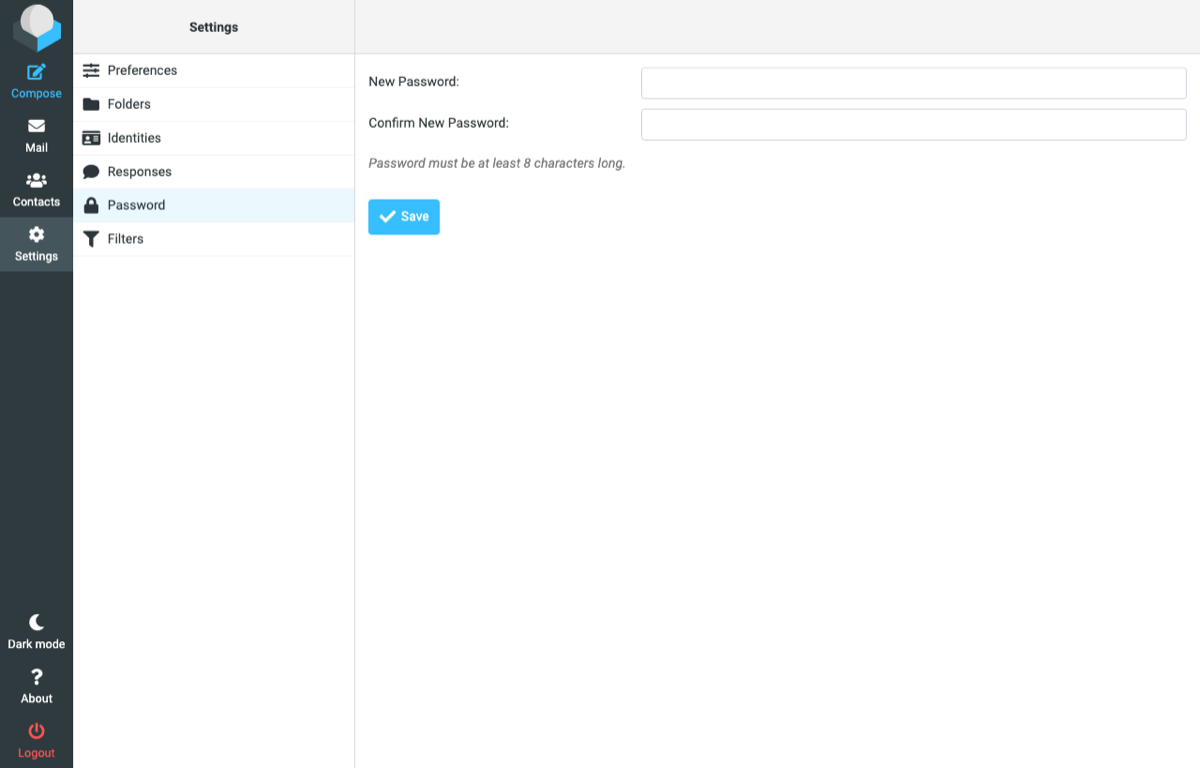
In webmail (for the mailbox user)
- Log in to webmail.
- Click Settings, then Password.
- Enter the new password twice and click Save.
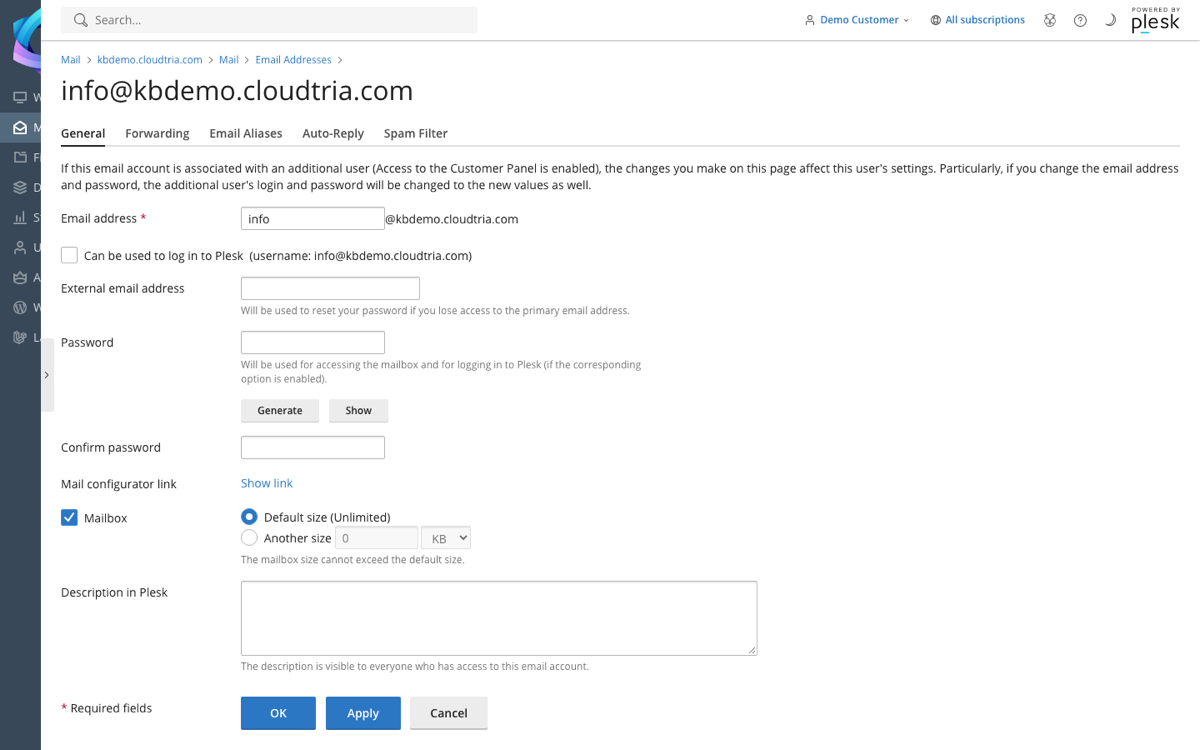
In the control panel (for the account owner)
Use this if the user has forgotten their password.
- In the control panel, go to Mail and click the email address.
- Enter a new password in Password and Confirm password.
- Click OK.
After changing the password, update it on every phone and computer that uses the mailbox, or they will keep asking for it.
