
Create mailboxes for yourself and your team in the control panel. Each one has its own password and can be used on any device.
- In the client area, open your hosting service and click Mail under Quick Shortcuts. Or log in to the control panel and click Mail.
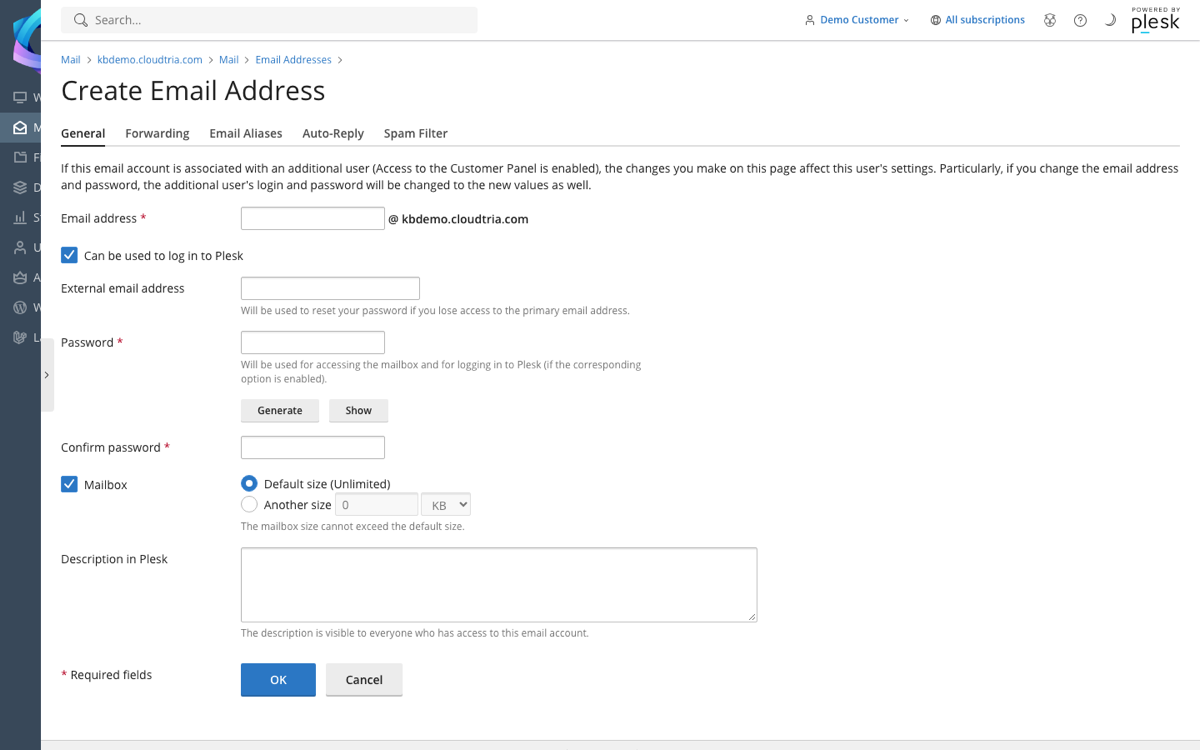
- Click Create Email Address.
- Enter the part before the @, for example
sales. - Enter a password, or click Generate, then click Show and copy it somewhere safe.
- Leave Mailbox ticked. Untick Can be used to log in to Plesk unless this person should be able to manage the hosting.
- Click OK.
The address works straight away. Read it in webmail, or add it to your phone or computer with the email server settings.
The number of mailboxes depends on your plan. You can see your limit under Account in the control panel.
