
WordPress Toolkit installs WordPress in about a minute, with its database, security settings and automatic updates set up for you.
- In the control panel, click WordPress in the left menu.
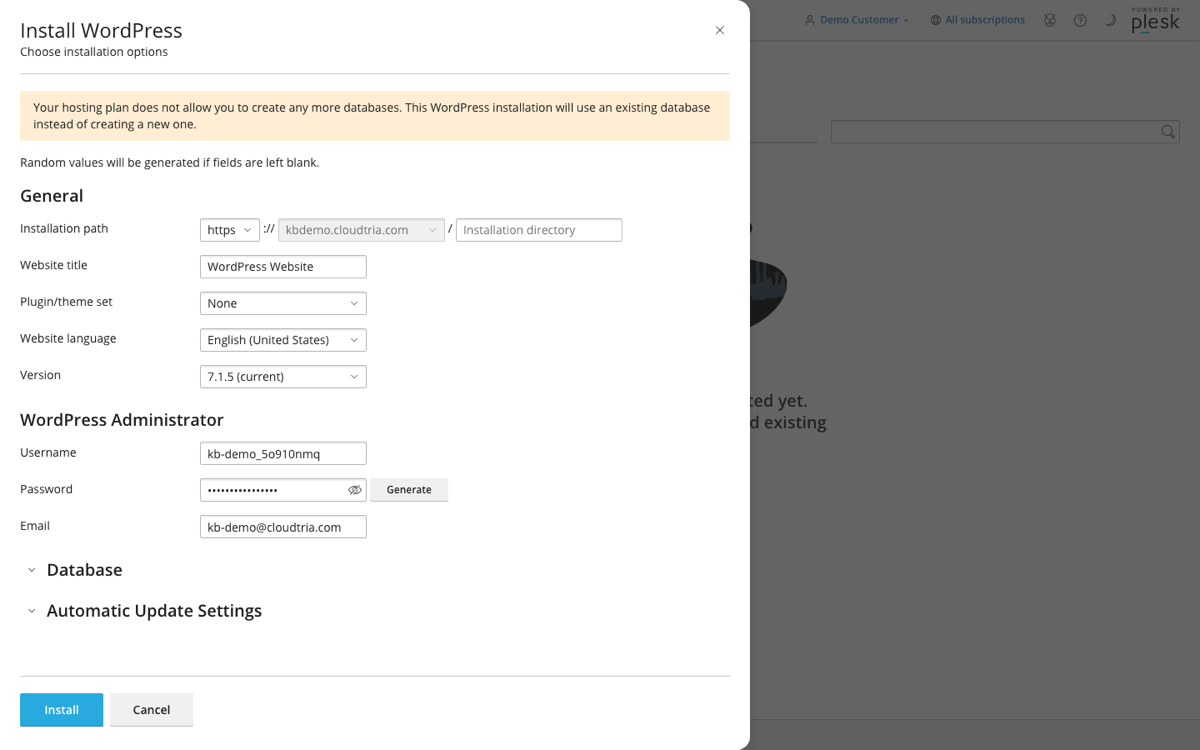
- Click Install WordPress.
- Check the Installation path. Leave the directory empty to install at your main address, or enter one (e.g.
blog) to install in a folder. - Enter your website title and language.
- Set the WordPress Administrator username, password and email. Note them down: this is how you log in to WordPress.
- Click Install.
When it finishes, click Log in to open your new site's dashboard, or go to yourdomain.co.nz/wp-admin at any time.
Next: add a free SSL certificate and read keeping WordPress up to date and secure.
