
Forwarding sends a copy of every message to another address, for example to a colleague while you are away.
- In the control panel, go to Mail and click the email address.
- Open the Forwarding tab.
- Tick Switch on mail forwarding.
- Enter one or more addresses to forward to, one per line.
- To forward without keeping a copy here, tick Do not deliver copies of forwarded emails to the Plesk mailbox.
- Click OK.
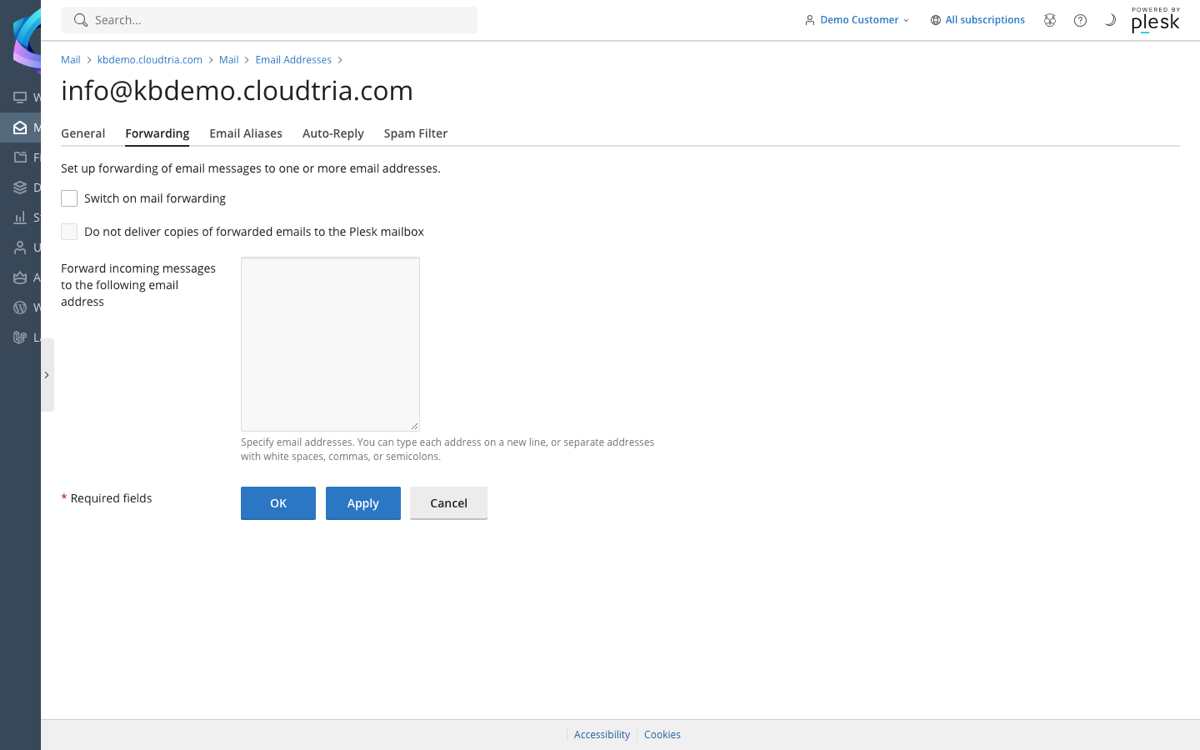
Forward-only addresses
Want an address that only forwards, with no mailbox of its own? Create the address with Mailbox unticked, then set up forwarding as above.
Need several addresses to land in one mailbox, like info@ and hello@? Use an email alias instead. It does not count towards your mailbox limit.
