
Invite colleagues or your web developer to your account with their own login, instead of sharing your password. You choose what each person can see and do.
- Log in to the client area.
- Click your name at the top right and choose User Management.
- Under Invite New User, enter their email address.
- Choose All Permissions, or Choose Permissions to limit them, for example to support tickets only.
- Click Send Invite. They get an email with a link to set up their login.
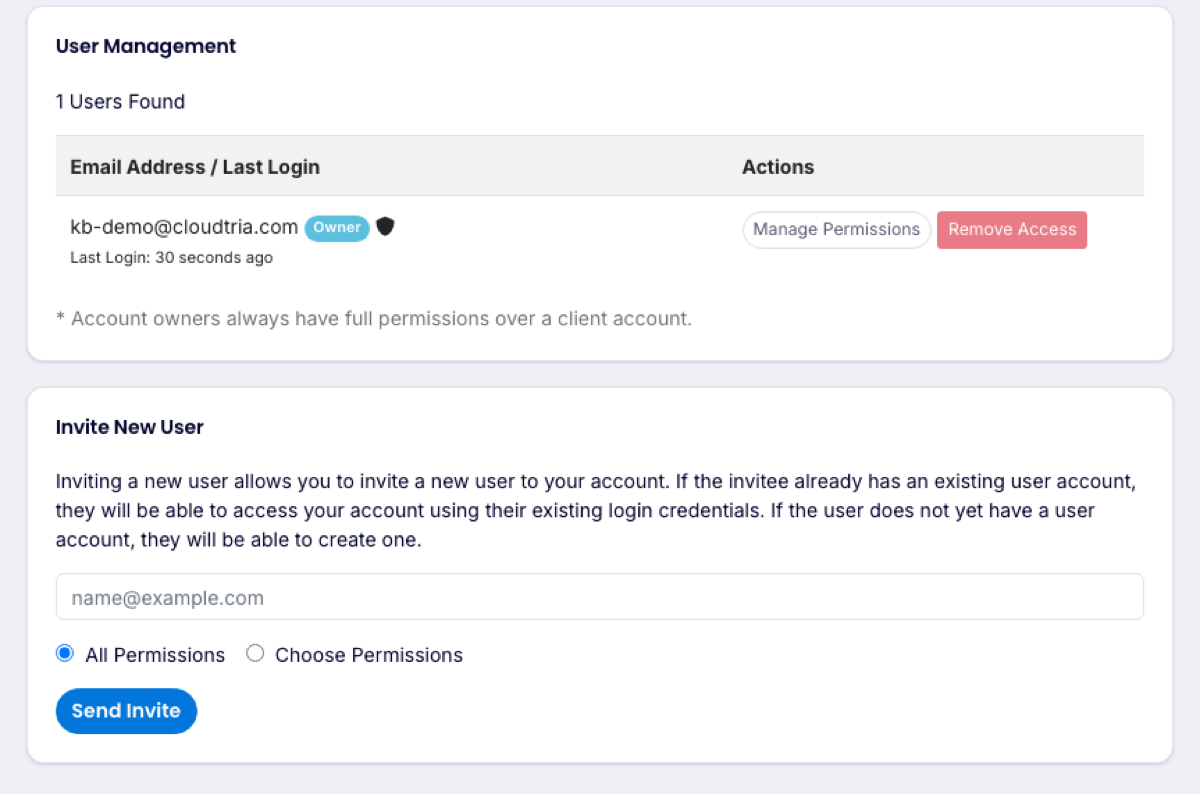
To change what someone can do, click Manage Permissions next to them. To remove them, click Remove Access.
If someone only needs to work on your website or email, you can instead give them a login to the hosting control panel alone. Use Users in your service's Quick Shortcuts.
