
A subdomain is a separate address in front of your domain, such as shop.yourdomain.co.nz or staging.yourdomain.co.nz. Each one can run its own website.
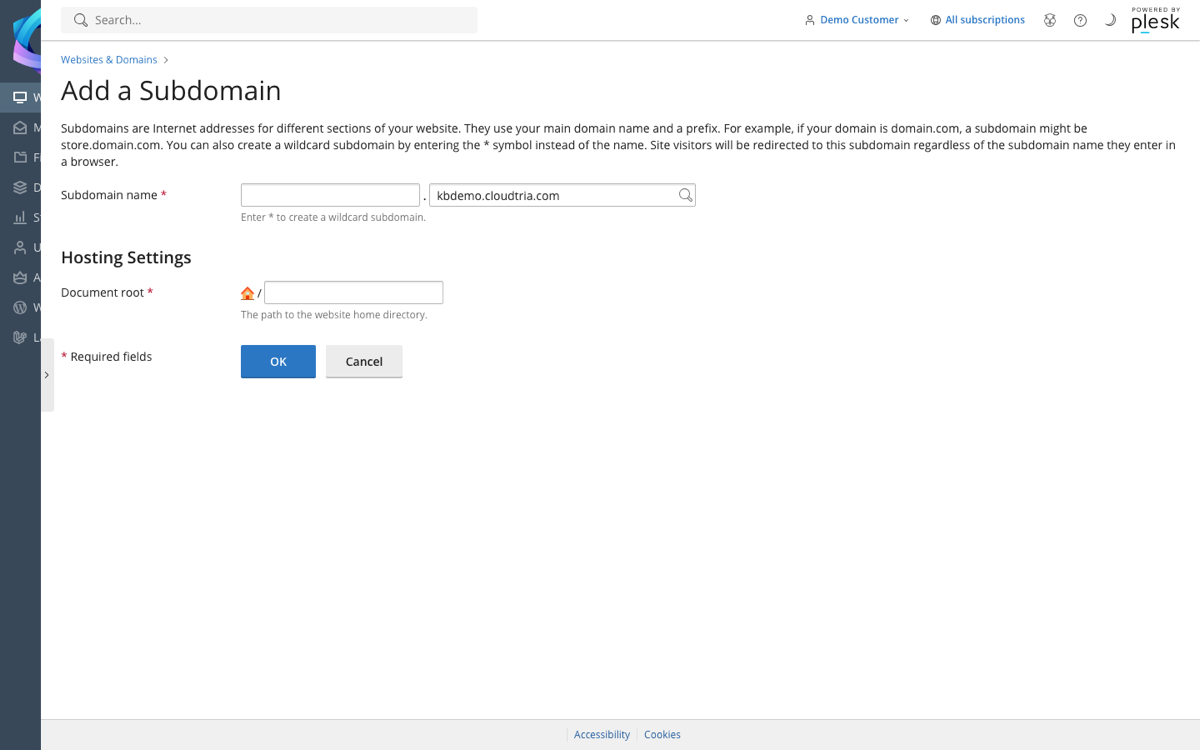
- Log in to the control panel and go to Websites & Domains.
- Click Add Subdomain.
- Enter the name, for example
shop. - Check the Document root. This is the folder the subdomain's files go in. The suggested folder is fine.
- Click OK.
The subdomain works within a few minutes. It appears in Websites & Domains with its own dashboard, so you can install WordPress on it or add a free SSL certificate.
Enter
* as the name to create a wildcard subdomain that answers for any name.