
You can see and change the PHP version for each website. New sites use a current, supported version.
- In the control panel, click your domain. The Dashboard tab shows the PHP version under Dev Tools.
- Click PHP to open the PHP settings.
- Choose a version from PHP support (PHP version).
- Scroll down and click OK.
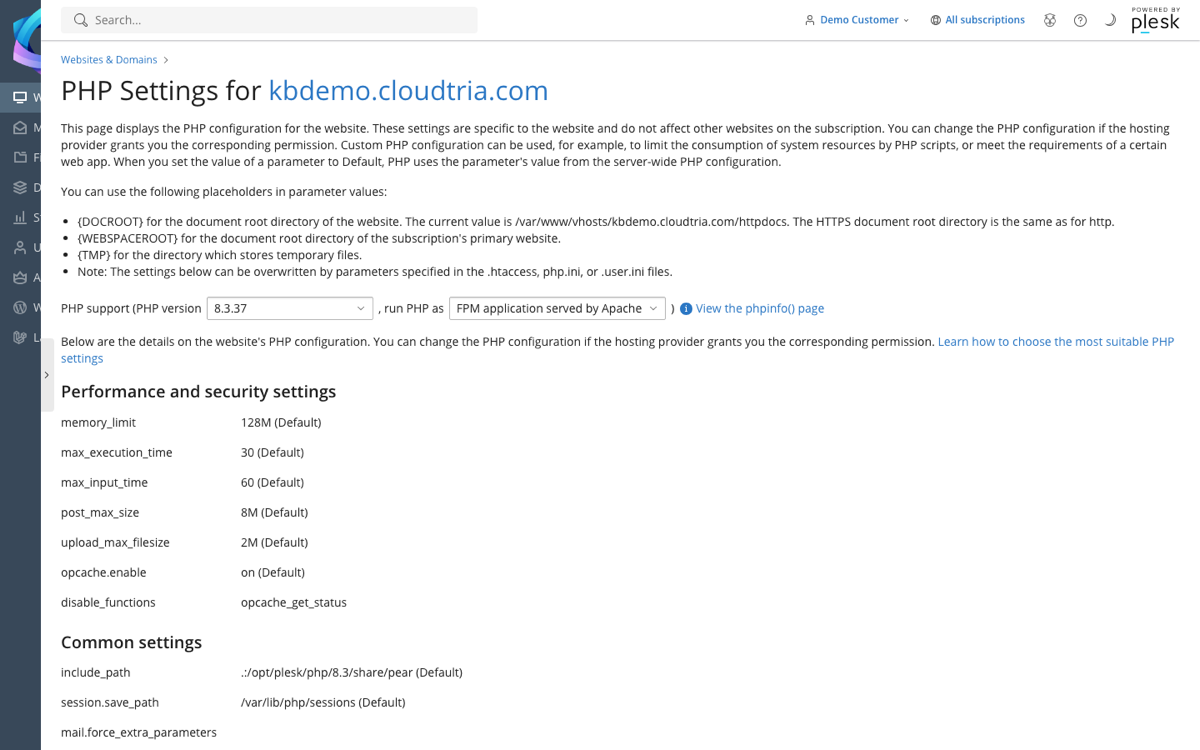
The same page shows limits such as memory_limit and upload_max_filesize. Click View the phpinfo() page for every detail.
Older software may not work on newer PHP. Make a backup first, then check your website straight after changing version. You can switch back the same way.
Need a higher limit for a large upload or import? Open a ticket.
