
You can run a Node.js app on your hosting alongside your website or instead of it.
- Upload your app with the File Manager or Git.
- In the control panel, click your domain and open Node.js from the Dashboard (or Get Started) tab.
- Set the Node.js Version, Application Root (the folder with
package.json) and Application Startup File (for exampleapp.js). - Click Enable Node.js, then NPM install to install dependencies.
- Click Restart App after each change.
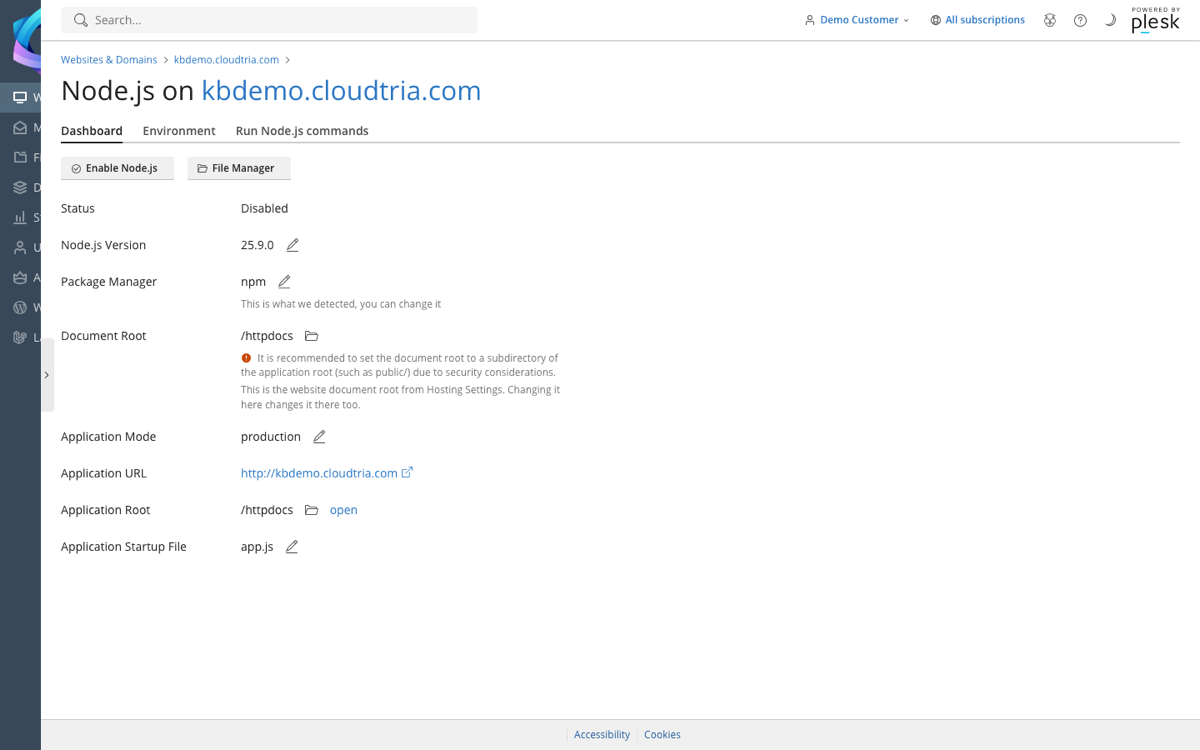
Use the Environment tab for settings such as API keys, and Run Node.js commands for scripts like npm run build.
Set the document root to your app's
public folder, not the app folder itself, so your source code cannot be downloaded.